









Ultimate Brain for Notion

Your Second Brain,
ENTIRELY in Notion.

New: Ultimate Brain 3.0 is live with tons of new features.

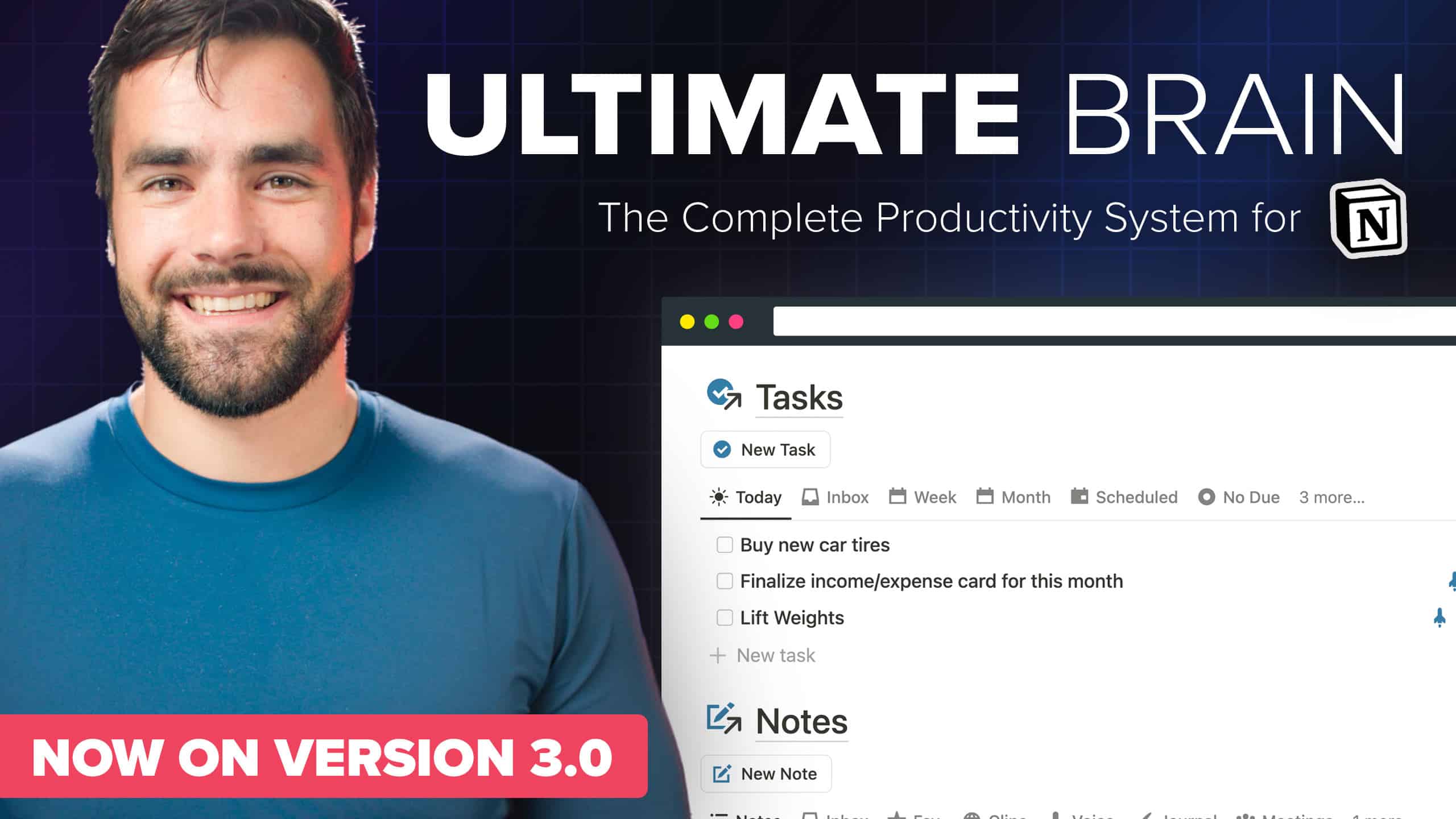
Ultimate Brain brings tasks, projects, notes, and goals seamlessly together in Notion - creating a truly all-in-one second brain.

Ultimate Brain Users
+40,000
Ultimate Brain 3.0 for Notion – Demo Video

Ultimate Brain brings tasks, projects, notes, and goals seamlessly together in Notion - creating a truly all-in-one second brain.

Ultimate Brain Customers

+35,000

"If you use Notion as your Second Brain, this is the ultimate template and guide to implement my PARA system. No one better to learn from than Thomas."
Tiago Forte
Tiago Forte
Productivity Expert, Building a Second Brain Founder

🧠 One Place for Everything.

Tired of juggling multiple apps to form your "second brain"?
Want things to stop slipping through the cracks?

Me too. Ultimate Brain lets you capture and organize everything inside of Notion - turning it into a truly all-in-one workspace.

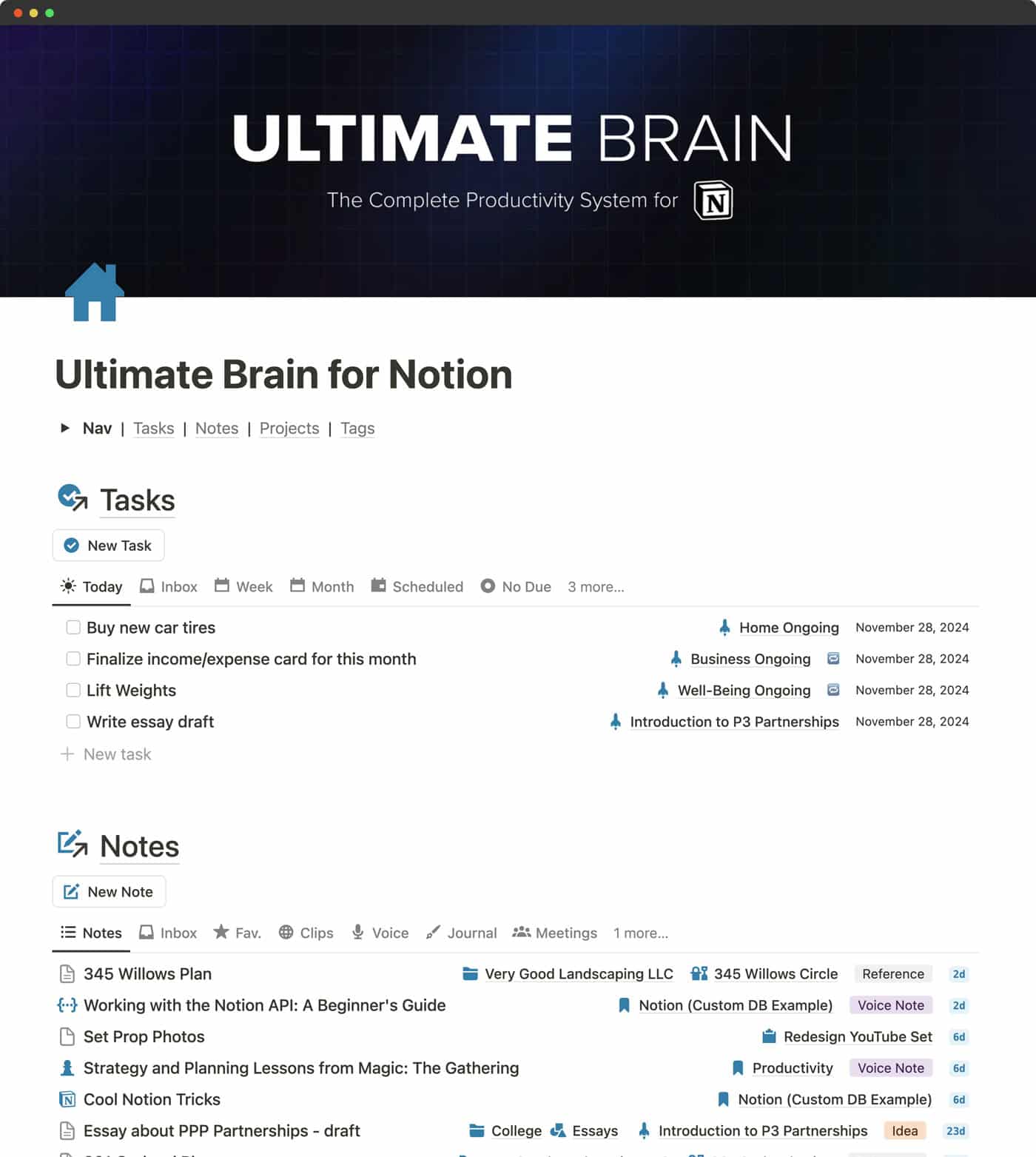
Screenshot of the Ultimate Brain dashboard page, featuring sections for tasks, notes, and projects

Ultimate Brain comes with the best task manager for Notion, letting you create sub-tasks, recurring tasks, and priority levels. If you want, it can even do advanced GTD®-style processing.

The Notes dashboard lets you capture notes, favorite them, and organize them easily.

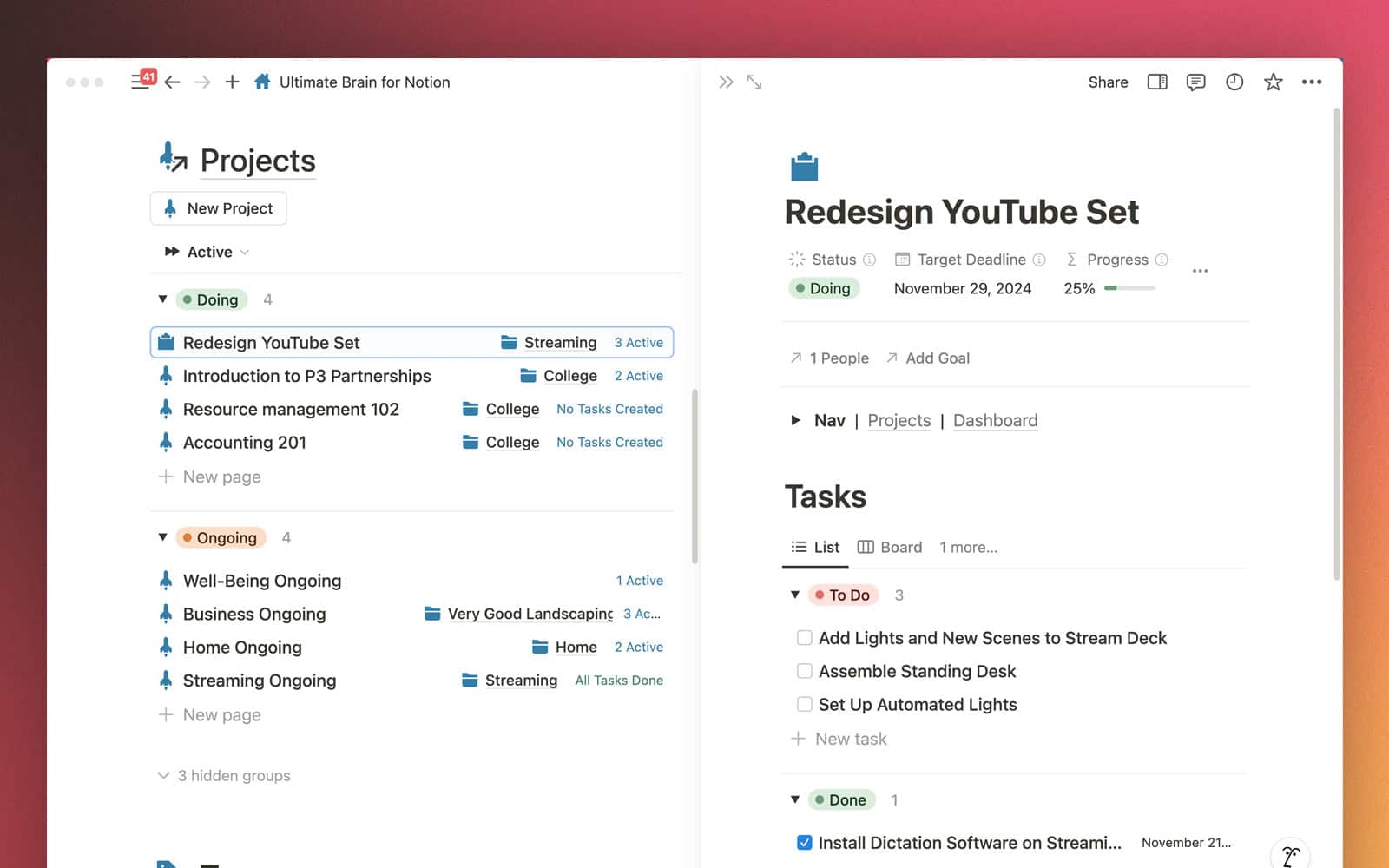
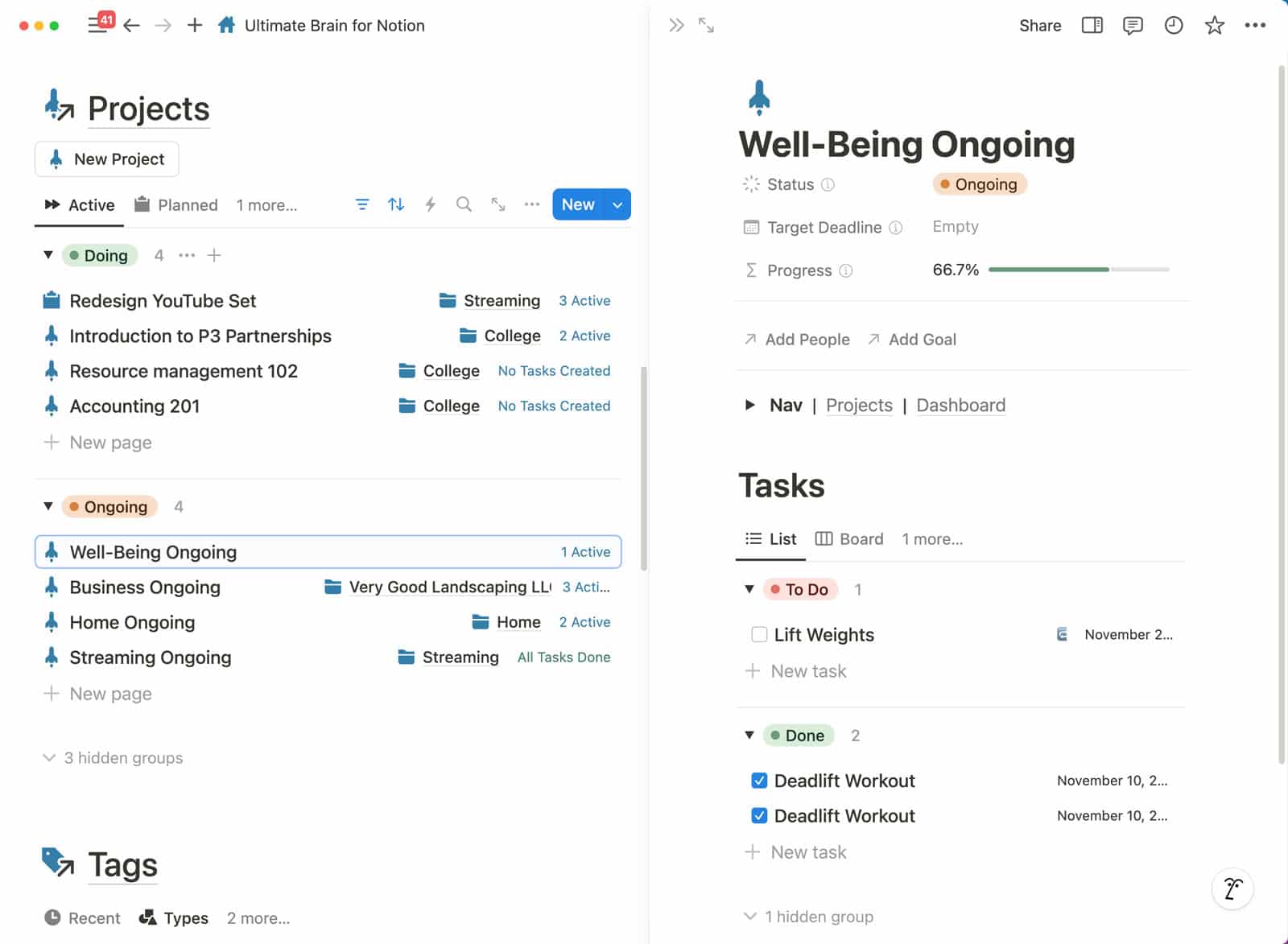
You can also create Projects, which can collect both tasks and notes – giving you a single dashboard where you can see everything related to your project.

Best of all, everything can be seamlessly organized using the P.A.R.A. organization method made famous by Tiago Forte and his Building a Second Brain course.

"Finally a system that can organize all my various books, speeches, articles, and consulting projects in one place, but also allow me to create focused lists for myself and my team. Well done, Thomas, well done!"
Laura Gassner Otting
Bestselling Author and Speaker

📝 Capture Anything Instantly

Your second brain should make it easy and fast to capture anything, no matter where you are. 

Ultimate Brain does that.

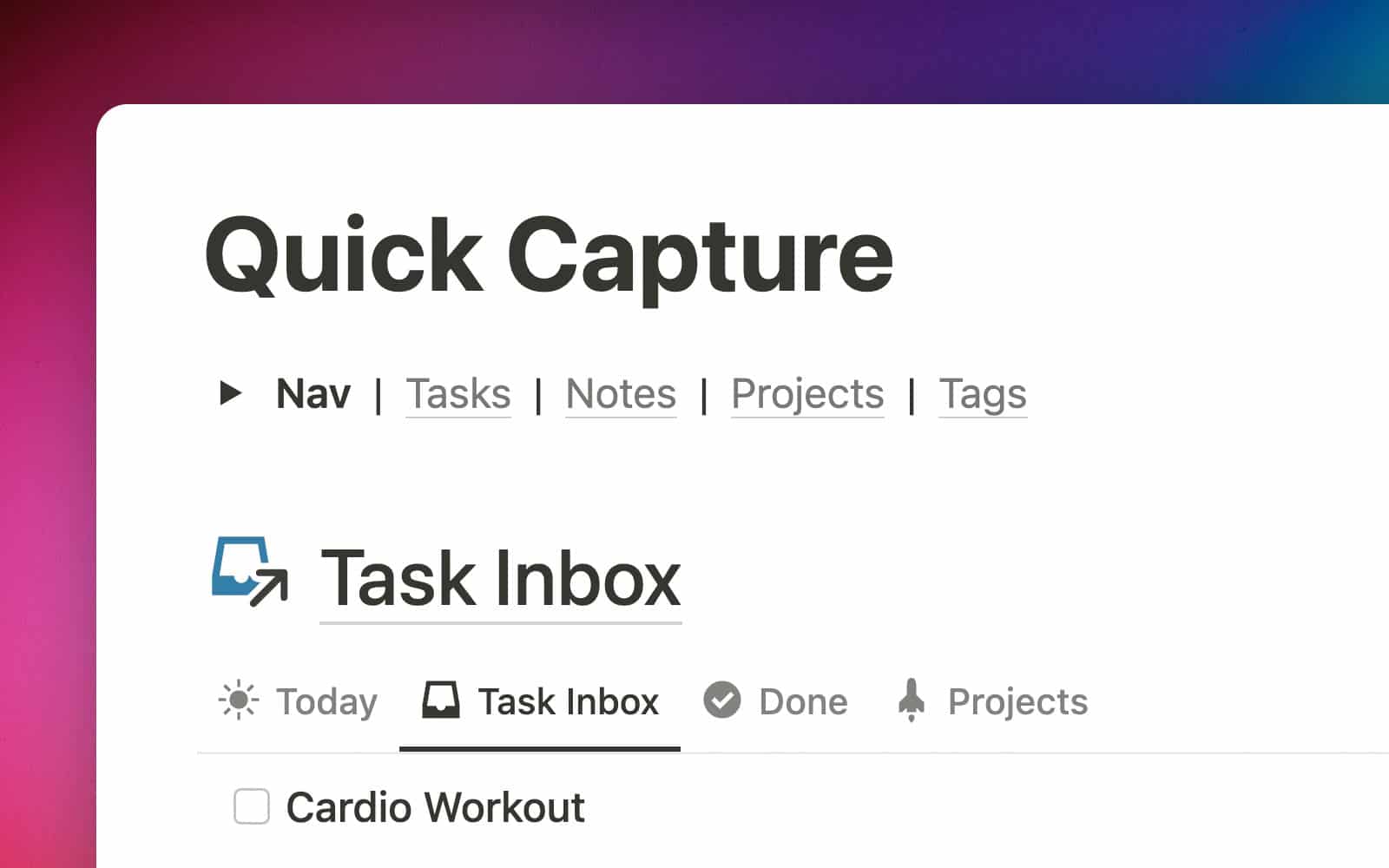
The built-in Quick Capture view lets you capture tasks and notes when you’re on the go.

🧐 Plan Your Day, Avoid Distractions

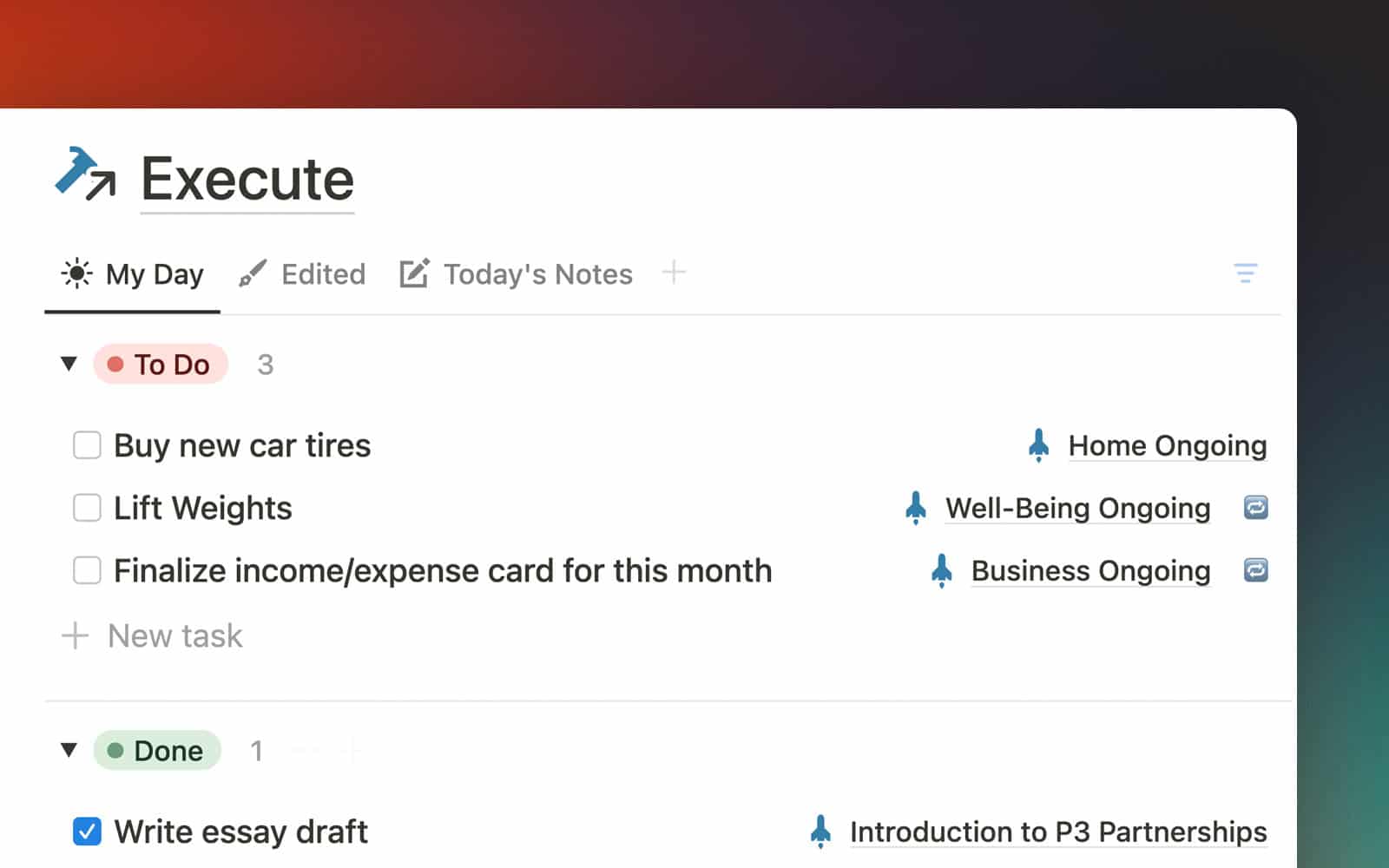
The My Day dashboard helps you plan your day and stay focused.

Check the My Day box on any task, and it’ll show up in the Execute section.

This helps you focus only on what you’ve planned to do today.

👷‍♂️ Manage Your Projects

Using Notion’s database magic, Ultimate Brain turns every project into a hub where you can manage tasks and notes related to that project.

No more jumping back and forth between a project management app and a note-taking app. It’s all here, all in one place.

🧹 Cut Out the Clutter (Automatically)

A second brain only works if you trust it and want to use it – and you’ll only want to use it if you can keep the clutter and bloat to a minimum.

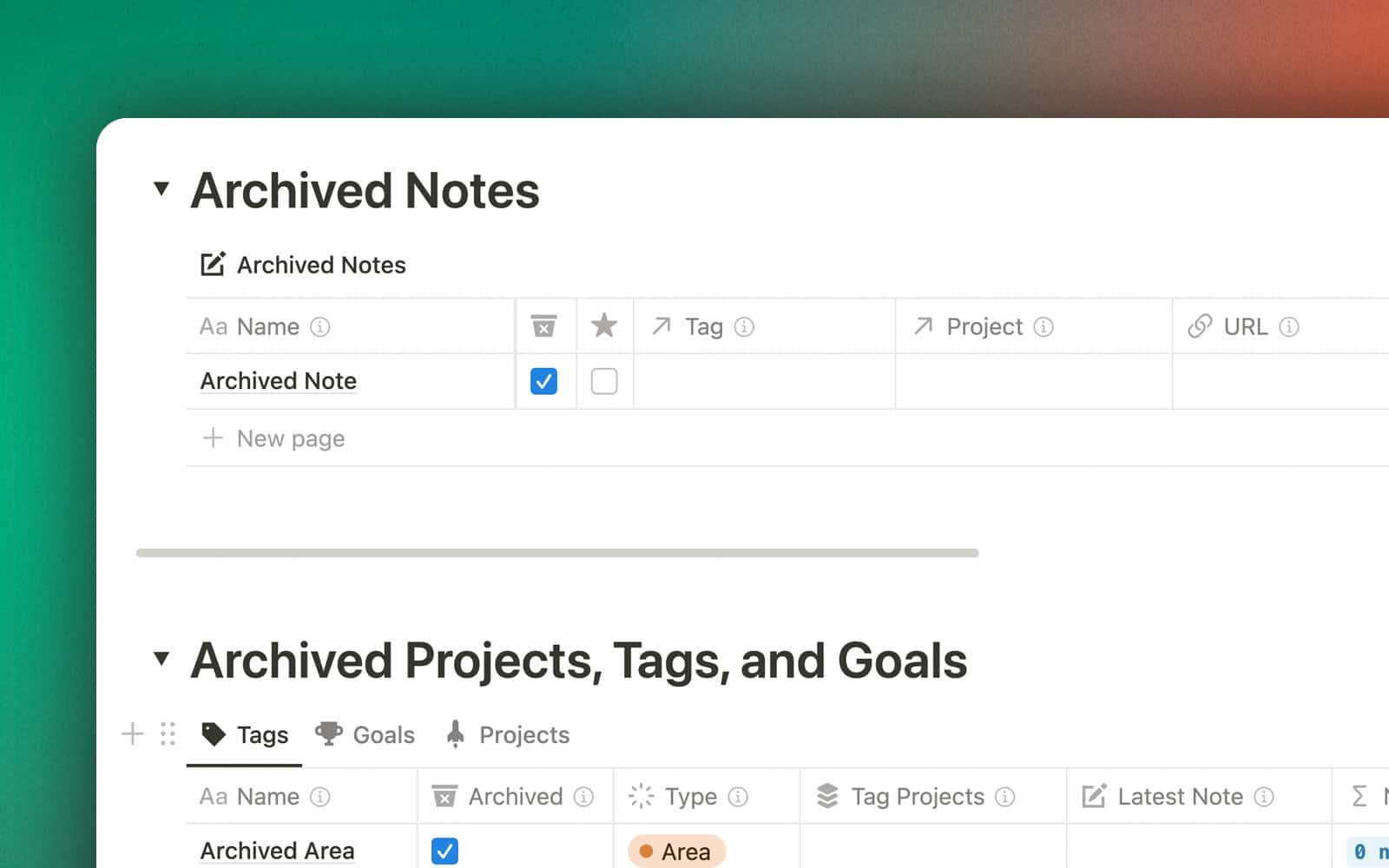
Ultimate Brain comes with a smart Archive where anything can be sent. If something isn’t relevant to you, archive it – it’ll stay out of your hair, but be safely in the Archive if you ever need it again.

💪 Fully Updated for 2026

Ultimate Brain is now on Version 3.0, and is packed with all-new features.

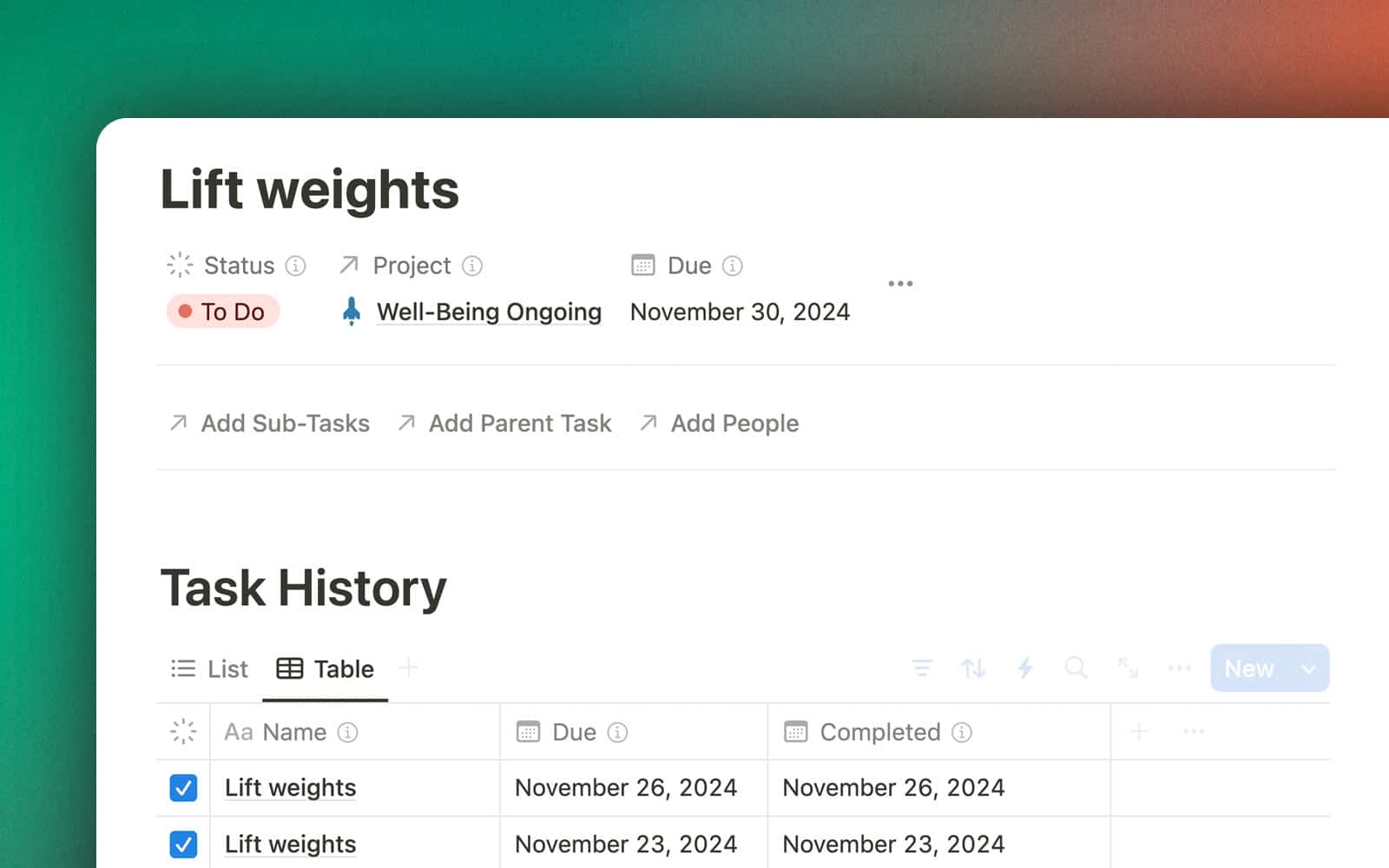
Recurring Tasks now work out-of-the-box. Set a recurring task to Done, and Notion will automatically process it.

Want to go further? Ultimate Brain also ships with an advanced automation that enables Task History for your recurring tasks, enabling you to see each time you’ve done a task. 

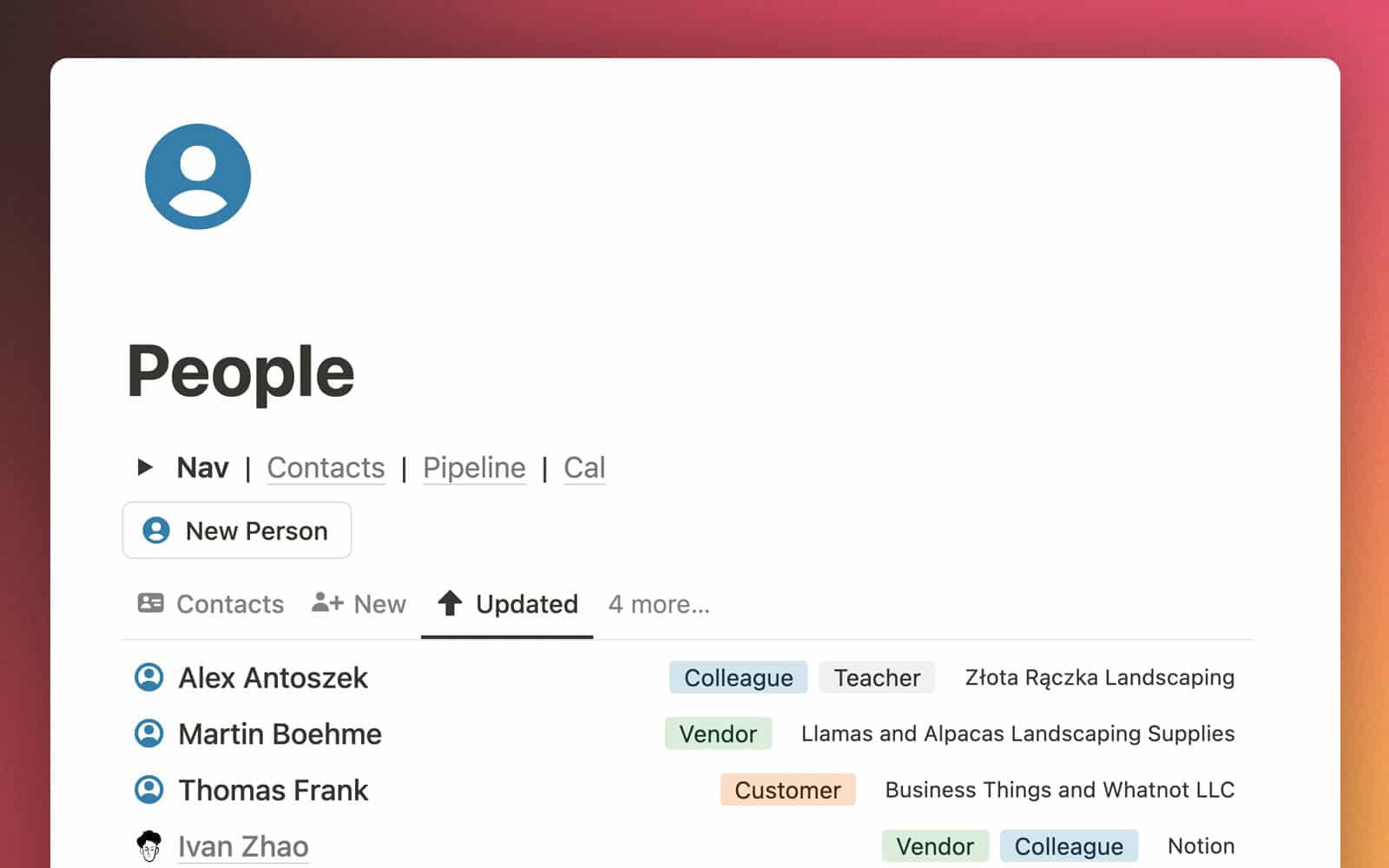
The new People dashboard adds a full personal CRM to Notion. It’s a perfect, simple contact tracker.

Take meeting notes directly from a contact’s record, associate contacts with Projects, Tasks, and Tags, and never forget another birthday present.

In 3.0, you’ll also find:

  • A fully-redesigned My Day dashboard for distraction-free planning
  • My Week page for weekly reviews and look-ahead planning
  • Full support for Notion’s new Layouts feature
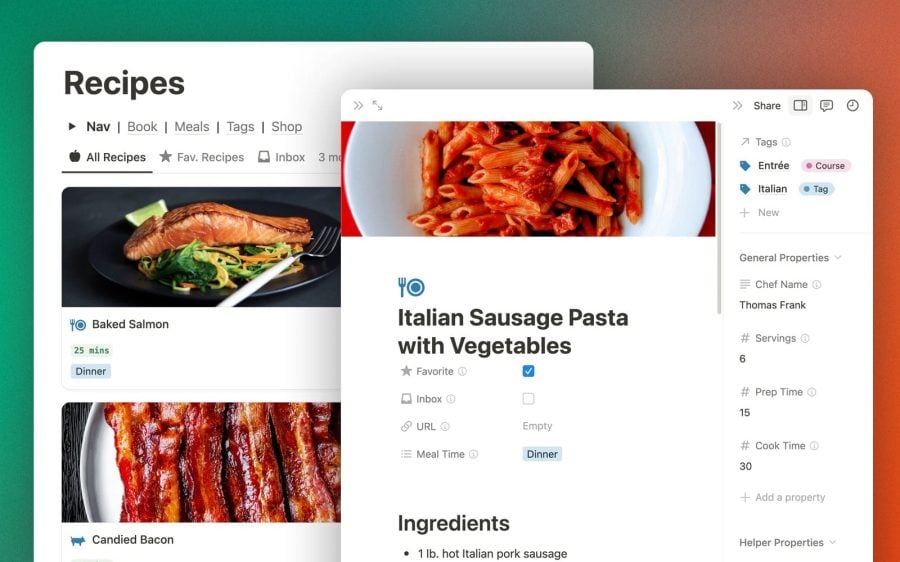
  • Meal Planning feature in the Recipes dashboard
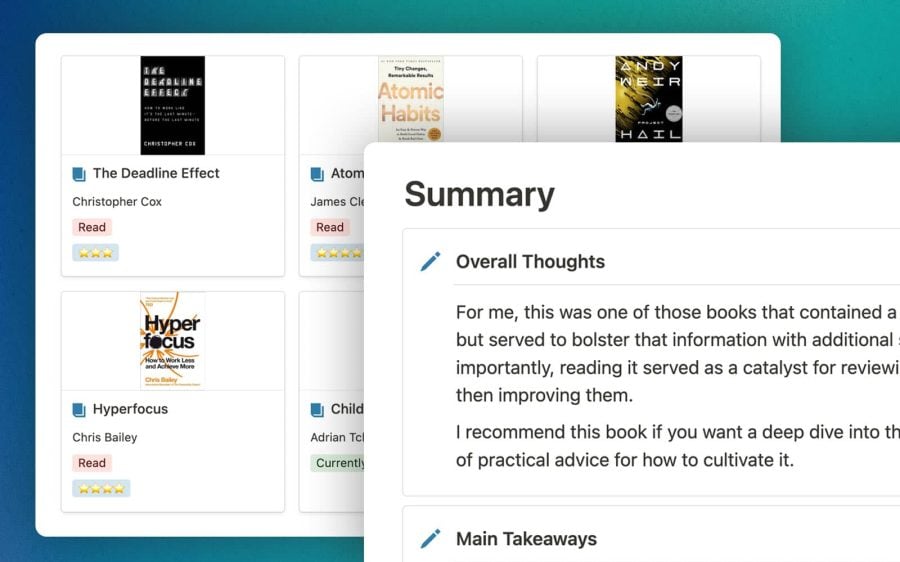
  • Reading Log feature in the Books dashboard
  • Recurring Tasks now support times and date ranges

Ultimate Brain is now far easier to learn and use as well. Check out this short video demo to see a tour of my personal copy, and to see how I use it. 

Want to see all the new changes? Check out our What’s New page.

Ultimate Brain 3.0 for Notion – Demo Video

📚 Built-In P.A.R.A. Organization

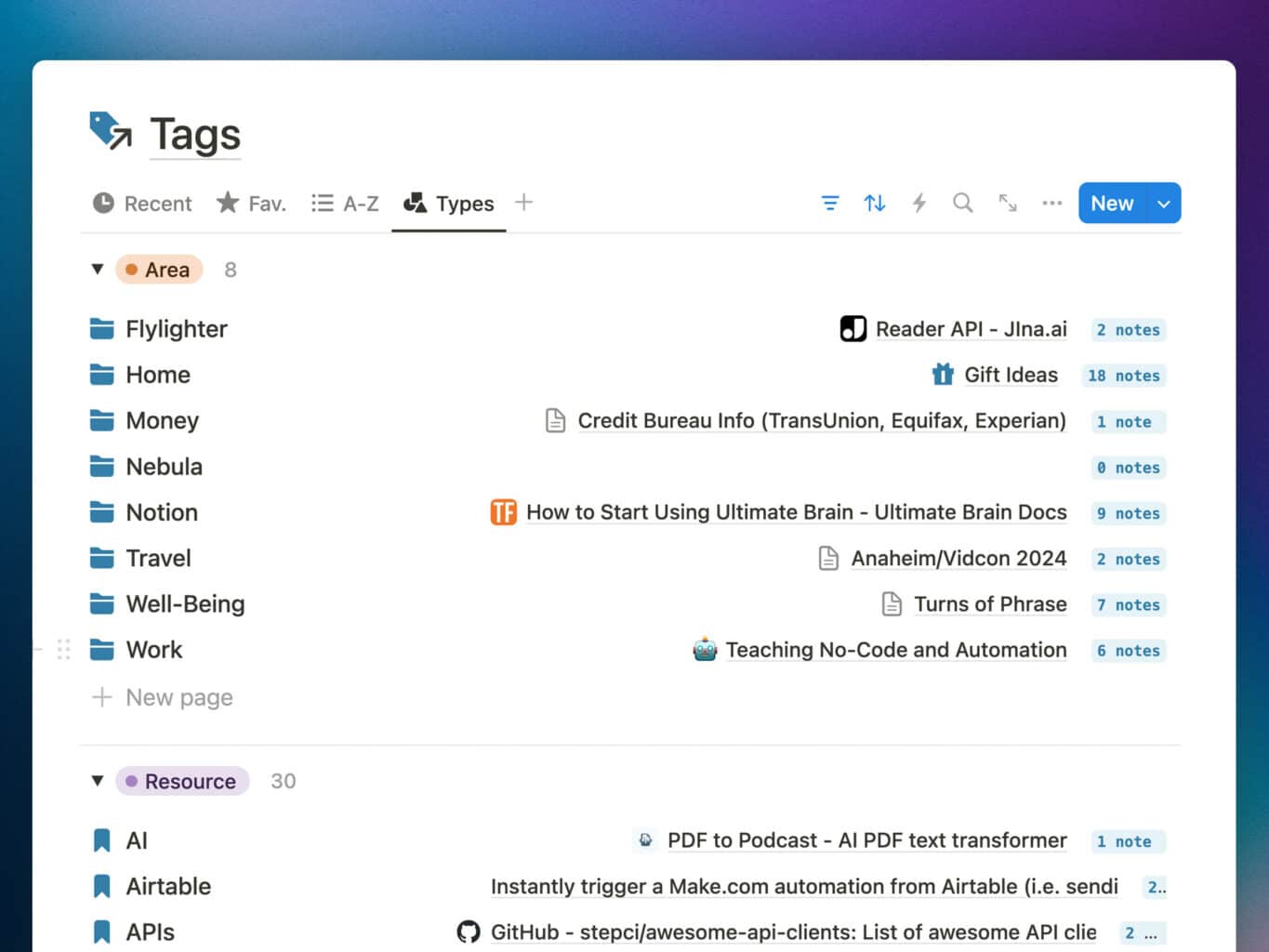
Organize everything in your life with Tiago Forte's P.A.R.A. method - Projects, Areas, Resources, and Archives. Built right into Ultimate Brain.

Tiago Forte’s well-known Building a Second Brain book organizes everything in your second brain using four categories:

  1. Projects – multiple tasks linked to a goal
  2. Areas – spheres of activity with a standard to be maintained
  3. Resources – topics or themes of ongoing interest
  4. Archive – inactive or no-longer-relevant items

Ultimate Brain is built to support P.A.R.A. organization right out of the box – and even improves on the method.

The powerful Tags database lets you create Areas and Resources – and using Notion’s database magic, Areas become much more useful than they are in other tools, containing Projects, Resources, and more.

"Your templates and channel are so immeasurably helpful! Especially for someone like me who recently found out I have ADHD and am trying to learn better skills to organize my life. Thanks for all your work and for sharing all your knowledge!"
Scott Niswander - NerdSync
Scott Niswander
Founder, NerdSync (500k YouTube Subscribers)
Ultimate Brain Users

40,000+ people use Ultimate Brain

✨ Bonus Dashboards

Ultimate Brain comes with a pre-built dashboard for collecting recipes, making meal planning much easier. You'll also find a book tracker, giving you a central place to take notes on the books you read.

Start Simple, Move Faster

Notion is powerful – but it can be overwhelming.
Ultimate Brain makes it simple.

Ultimate Brain's Single-Page Layout

Many Notion templates include dozens of advanced features – but feel overwhelming to learn when you’re just getting started.

Ultimate Brain keeps things simple by putting all the important stuff right on the home page.

You can quickly access your Tasks, Notes, Projects, and Tags without digging into any complicated pages – and Notion’s Side Peek mode opens them up without taking you away from that useful home base.

Once you need more advanced tools, you can dig into Ultimate Brain’s additional dashboards!

World-Class Tutorials and Support

It's dangerous to go alone! Fortunately, you won't have to.

Ultimate Brain Support

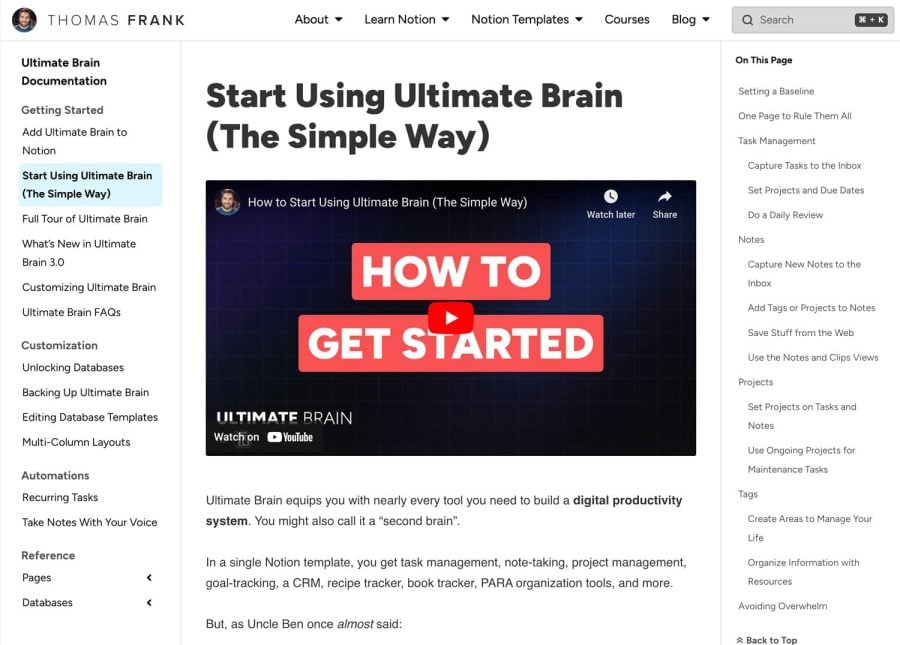
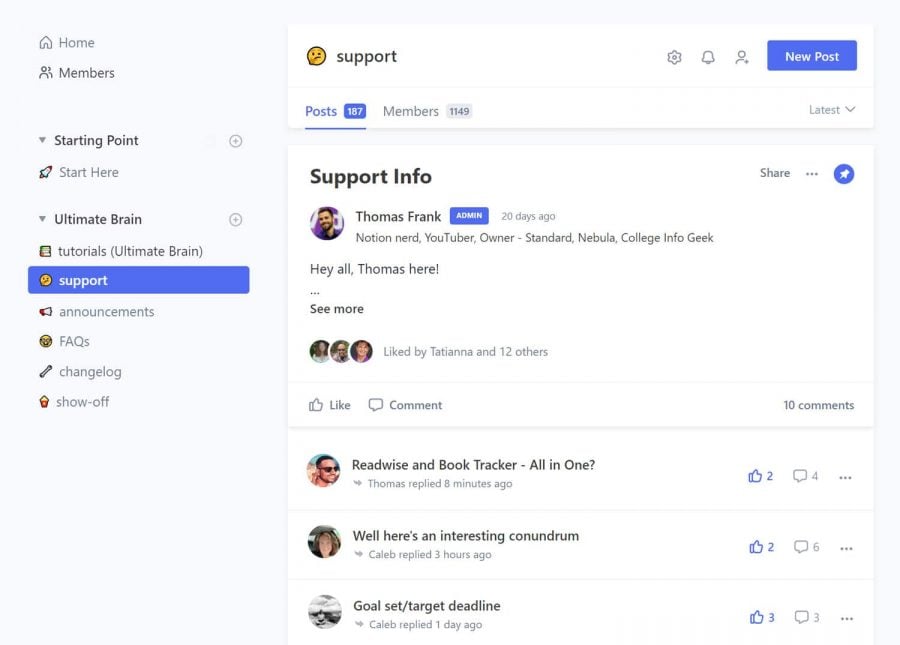
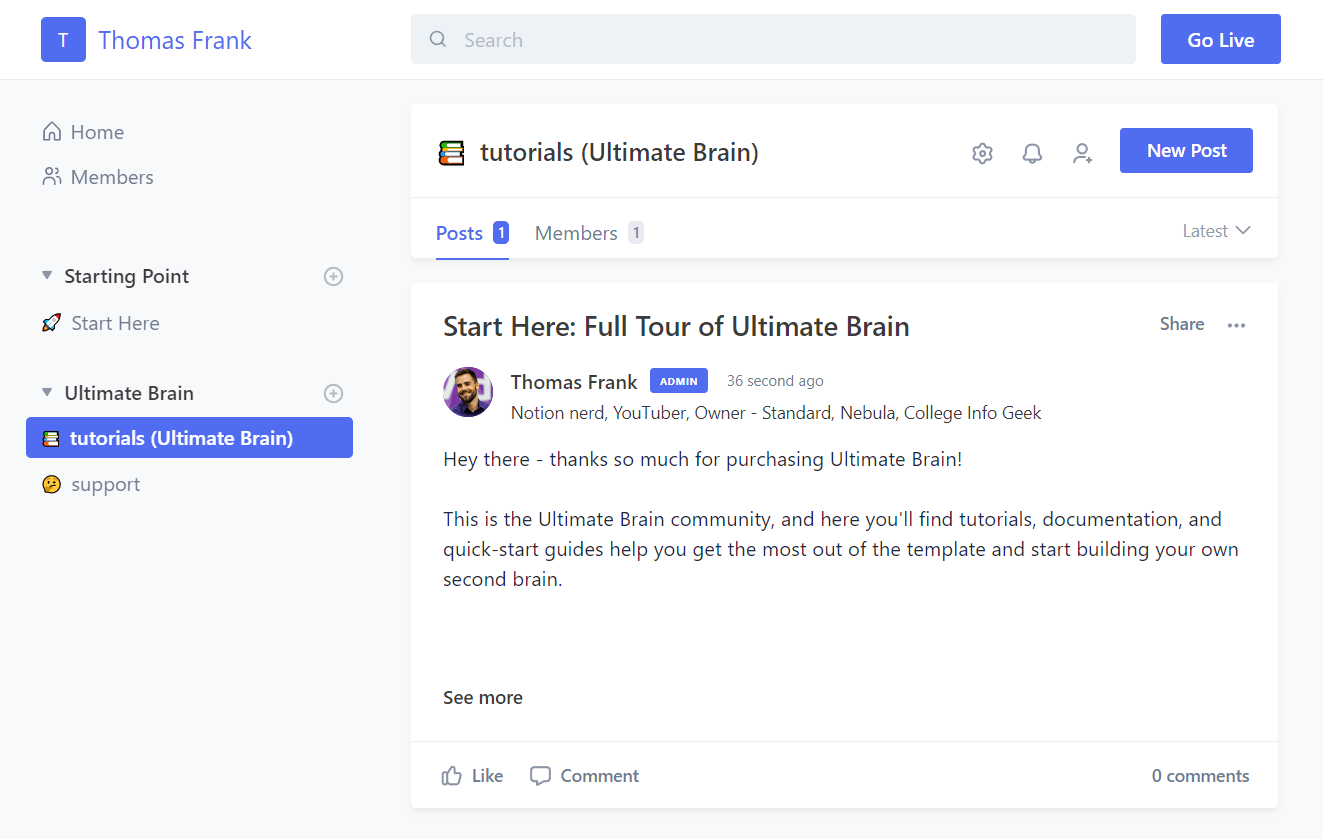
Ultimate Brain includes world-class tutorials, help docs, a full demo template with example content, and a support community where you can get your questions answered by a team of Notion experts.

The complete beginner’s tutorial includes everything you need to learn the ins and outs of Ultimate Brain… and maybe become an accidental Notion expert in the process.

Seriously, our tutorials are so good that they may as well be an advanced Notion course. You’ll even find tutorials that show you how to build your own add-on sections.

"While I'm confident I could have pieced together a workable system at some point, I'm glad I made the decision to purchase Ultimate Brain. It has everything I need, plus more. I've added the P.A.R.A. method into my workflow, and I've used the My Day view more than I anticipated."
Virginia Collins
Professional Organizer + KonMari Consultant

Buy Ultimate Brain

No fuss, no monthly fees. Ultimate Brain is a one-time purchase, which also gets you lifetime access to tutorials and our support community.

Are you a content creator? If so, the Ultimate Brain + Creator’s Companion bundle also gets you a complete system for running your entire content creation business. Learn more about Creator’s Companion here.

Right now, get any version for $50 off with code SPRING50.

Ultimate Brain for Notion

Organize your entire life in one elegant system.

$129 $79 One-Time
Buy Now
  • All Ultimate Brain features
  • Tutorials and documentation
  • Access to an exclusive support community on Circle
POPULAR

Ultimate Brain + Creator's Companion

The best life organization system and the best content planner, combined.

$278 $228 Bundle Discount
Buy Now
  • Everything in Ultimate Brain
  • Deep integration with the Creator's Companion template (normally $149 on its own)
  • All-In-One Content Publishing Calendar
  • Easily capture content ideas in one place
  • Manage all your channels and social media accounts
  • Keep track of sponsor relationships and brand deals
  • Tutorials and Documentation
  • Access to an exclusive community where you can get support and exchange tips with other creators

Ultimate Brain for Notion

$129
$ 79 One-Time
  • All Ultimate Brain features
  • Tutorials and documentation
  • Access to an exclusive support community on Circle

Ultimate Brain + Creator's Companion

$278
$ 228 Bundle Discount
  • Everything in Ultimate Brain
  • Deep integration with the Creator's Companion template (normally $149 on its own)
  • All-In-One Content Publishing Calendar
  • Easily capture content ideas in one place
  • Manage all your channels and social media accounts
  • Keep track of sponsor relationships and brand deals
  • Tutorials and Documentation
  • Access to an exclusive community where you can get support and exchange tips with other creators
Popular

Limited Time: Get $50 off with code LETSGO2023

Ultimate Brain for Notion

$ 129 One Time
  • All Ultimate Brain features
  • Tutorials and documentation
  • Access to an exclusive support community on Circle
  • 30-day money-back guarantee

🎥 Are you a content creator? Check out the Ultimate Brain + Creator's Companion Bundle.

What People Are Saying

Tiago Forte
Tiago Forte Productivity Expert, Building a Second Brain Founder

If you use Notion as your Second Brain, this is the ultimate template and guide to implement my PARA system. No one better to learn from than Thomas.

Abbar Ismail
Abbar Ismail CEO Civil Engineering Consultancy Office/ Morocco

For most of the time, i'm always looking for free stuff in the net, but this time I made the investment and I'm not disappointed, Ultimate Brain is an All in One solution for any who is looking to manage all area of life just in one place.

Highly Recommand, If you would, if not I'm not your dad do what you want

Thanks, Thomas for the priceless value

Aiko
Aiko Nurse Manager

I’ve been looking for an ultimate productivity app/ template to achieve organization in my personal, studies, and work life. I love using Calendar to remind me with everything that will happen in a day, but I also like to take notes, write daily journals, research stuffs for work, and write reviews or insights on a book I am reading currently. I can do all these with the Ultimate Brain and I am absolutely getting a lot of things done! I really like the recurring tasks and the subtasks feature! As a nurse leader and a student, I tend to get…

Richard Jessup
Richard Jessup Richard Jessup

Hi Thomas, this Notion template you made with the GTD dashboard is genius. Wow. Blowing me away; it is what I have been looking for my entire life. I have OCD and am always doing a million things, and this everyone should have.

Dusti Arab
Dusti Arab Marketing strategist, the reinvention co

I've known for years that Notion was probably the tool that I'd always wanted to manage my life, but as for figuring it out? As much experience as I have picking up tech tools and productivity hacks, I just couldn't seem to trounce the learning curve.

Having a pre-built OS was exactly what I needed. And more than that, it really was the explanations that came with it. Understanding the why behind the design has me beginning to think about how to customize the template for my own needs.

Joaquin Garcia Rodriguez
Joaquin Garcia Rodriguez Personal

Of all the "Second Brain" templates I've heard of, Thomas J Frank's is the best and most comprehensive. It not only incorporates Tiago Forte's tools, but also GTD and other possibilities. He gives you a solved job that would take you at least months to build by yourself. Also, nowhere are you going to find so much support to put this tool at your service.

Virginia Collins
Virginia Collins Owner, Tidy Up Atlanta

While I'm confident I could have pieced together a workable system at some point, I'm glad I made the decision to purchase Ultimate Brain. It has everything I need, plus more. I've added the P.A.R.A. method into my workflow, and I've used the My Day view more than I anticipated. The book tracker is a fun bonus, particularly for my non-fiction reading. I am grateful for this well-thought-out and expertly crafted comprehensive tool.

Laura Gassner Otting
Laura Gassner Otting Bestselling Author and Speaker

Finally a system [Ultimate Tasks] that can organize all my various books, speeches, articles, and consulting projects in one place, but also allow me to create focused lists for myself and my team. Well done, Thomas, well done!

Marjory Harris
Marjory Harris Sole proprietor

Thomas Frank’s Ultimate Brain template is worth it’s weight in gold! It saved me a ton of time trying to create something like this on my own, and I’m sure I would’ve missed some of the finer points he’s thought of.

Derek
Derek

I like staying physically organized and neat, I don’t like messes. But I always had a hard time staying digitally organized. My projects, to do lists, and notes always ended up in different places and it KINDA worked. But it always bugged me that my digital life was less organized than my home. Once I saw Thomas’s big Ultimate Brain explanation video I realized this could finally be the answer I was looking for! And it is! So far it’s been very easy to implement after watching his videos. Now all of my copious random notes, bookmarks, to do lists,…

Kirsten Bradley
Kirsten Bradley

Ultimate Brain has decreased my stress levels by about a hundred percent. I'm juggling a full-time data science/statistics degree, parenting, research projects and community development projects, as well as the very early stages of a start-up, and until I started using Ultimate Brain I always carried that awful feeling that something was slipping through the cracks. Never again! Now, I always know exactly what's on my plate, when its due, and what the next steps are, so I can balance productivity and leisure time without a shadow looming over me. Ultimate Brain is perfect for managing my university workload, and…

Frequently Asked Questions:

Ultimate Brain is a complete productivity system for Notion. It is a general tool that combines notes, tools, project, and goals, helping you to plan and organize your life. It’s also focused primarily on personal productivity.

Creator’s Companion is a template that completely replicates the advanced content planning system my team and I use for planning, researching, scripting, and project-managing all of my content across YouTube, blogs, and social media. It is a template specifically made for content creators, and contains many features and workflows intended to assist the content-creation workflow – Channel pages, idea capture & validation, a Sponsor tracker, etc.

There’s also a bundled edition that fully integrates the two templates (and gets you a great discount vs. buying both separately).

If you’ve purchase either template in the past, you’ll be able to buy the other at the discounted bundle pricing from a special link inside our Circle community!

Simply put: Ultimate Tasks is a standalone task manager for Notion. Ultimate Brain is a complete productivity system for Notion with all of the features from Ultimate Tasks + many more.

Ultimate Tasks is a free task + project manager template I’ve offered since 2020. It is included inside of Ultimate Brain, supercharged with additional features:

  • Advanced GTD®-style task processing and Smart Lists (Do Next, Delegated, Snoozed, & Someday)
  • Integration with Notes – especially in Projects, where you can see tasks and notes related to your project all in one place

Ultimate Brain’s task manager contains all the latest features from Ultimate Tasks, including our advanced recurring task features (which can be automated!).

Yep, and pretty easily! Our support community contains a tutorial showing the exact, step-by-step process.

Nope! Everything in Ultimate Brain will work flawlessly on Notion’s free plan.

Ultimate Brain even ships with pre-made automations that work on Notion’s free plan, such as our automatic recurring tasks automation.

To build automations like these yourself, you would need to be on a paid Notion plan. With Ultimate Brain, you can use them on the free plan!

In Notion, any page can be made publicly available on the internet. It can also be set up so that others can duplicate it – i.e. add a copy of it into their own workspace.

Ultimate Brain is an expansive template which contains multiple pages and databases. 

When you duplicate Ultimate Brain into your own workspace, you’ll have an exact copy of it that you can then start using.

Absolutely. However, because this is a Notion template, you’re literally copying it into your own workspace.

This means that updates won’t automatically apply to your version of Ultimate Brain. For that reason, each update includes either or a transfer guide or upgrade guide that will show you how to transfer to a new copy, or upgrade your current copy of the template.

Small updates typically come with an upgrade guide, while some larger updates involve so many changes that we’re only able to provide a transfer guide.

Absolutely! Ultimate Brain is a Notion template, which means it becomes yours the moment you add it to your workspace. From then on, you can make any tweaks that you want. (Just please don’t share it with others, as it’s a paid template and part of my livelihood!)

However, be aware that making changes to the template may make it harder for you to integrate any updates that I make to the template down the road. 

When you buy Ultimate Brain, you’ll get an invite to an exclusive Circle community where you’ll find tutorials and documentation. You’ll also be able to ask questions, make suggestions, and interact with me and other people using Ultimate Brain.

Yes, 100%.

If you purchase via Notion’s marketplace, Notion entirely handles the payment.

If you purchase directly from us, transactions are encrypted and go through Lemon Squeezy.

Either way, we never receive or see payment information.

If you’ve purchased through the Notion Marketplace, you can get a refund within 14 days of purchase. You can read more from their refund policy here.

If you’ve purchased through Lemon Squeezy or Gumroad, we have a 30-day refund guarantee. Within 30 days of purchase, email [email protected] to ask for a refund.

For Lemon Squeezy or Gumroad purchases, please send your email from the same email you used for purchase, or include your license key. One of these is needed to verify the original purchase.

Yes, but you should understand Notion’s limitations before doing so.

Ultimate Brain is primarily intended for personal productivity. That’s how I’m marketing it, and its design is entirely built around allowing you to create your own all-in-one second brain in Notion.

You can use it with a team, however, it will be very difficult to use it for both team and personal purposes unless you’re ok with your team potentially seeing your personal tasks/notes.

One of Notion’s main limitations at this point in time is that we can’t restrict access to a databases based on filter criteria.

This means you can’t set up a permission like, “Only let my editor see database rows assigned to them.”

You can set up a filtered view that only shows these rows, but you can’t actually prevent them from seeing other rows unless you edit the permission settings of individual pages.

Currently, you must set permissions for people/groups at the database level, or the individual page level.

This means anyone with permission to see a database could simply make a new Linked View of that database, which would have no filters by default. This would let them see every row (except those with individually-set restricted permissions).

Ultimate Brain uses central “main” databases: Tasks, Projects, Notes, etc. 

In most parts of the system you’ll actually use, you’ll see filtered views of these databases – e.g. a view of the Tasks database only showing the Tasks that are associated with a specific Project (you’d see this in the Project’s page).

But since it uses these main databases, you’d have to give your team access to the whole database in order to let them work with it. 

Upshot: Currently, using one copy of Ultimate Brain for personal + team uses means your team will be able to see your personal tasks/notes/etc.

Notion may roll out an update in the future which would allow for true permissions to be set at the filtered-view level, which would fix this issue. But for now, you’ll need to either:

  • Accept this privacy compromise
  • Use separate copies of Ultimate Brain for personal and team uses.

Yes – all digital products sold to non-business EU customers are required to include a VAT charge, and our payment processors automatically calculate this charge.

Happy to answer whatever’s on your mind! Click here to send me an email with any questions you have.

Note: GTD® and Getting Things Done® are registered trademarks of the David Allen Company. Ultimate Brain is not affiliated or endorsed by the David Allen Company.

Thanks for Subscribing!

A confirmation email just went out to the email address you provided. Once you click the confirmation link in it, you’ll be on the list! I’ll also send you a link to my other free templates.

Thanks for Subscribing!

A confirmation email just went out to the email address you provided. Once you click the confirmation link in it, you’ll be on the list! I’ll also send you a link to my other free templates.

Thanks for Subscribing!

A confirmation email just went out to the email address you provided. Once you click the confirmation link in it, you’ll be on the list! I’ll also send you a link to my other free templates.

Thanks for Subscribing!

A confirmation email just went out to the email address you provided. Once you click the confirmation link in it, you’ll be on the list! I’ll also send you a link to my other free templates.

Thanks for Subscribing!

A confirmation email just went out to the email address you provided. Once you click the confirmation link in it, you’ll be on the list! I’ll also send you a link to my other free templates.